---
title: "概览"
description: "为您的智能体打造的计算机，拥有持久上下文和由您掌控的学习循环。"
---

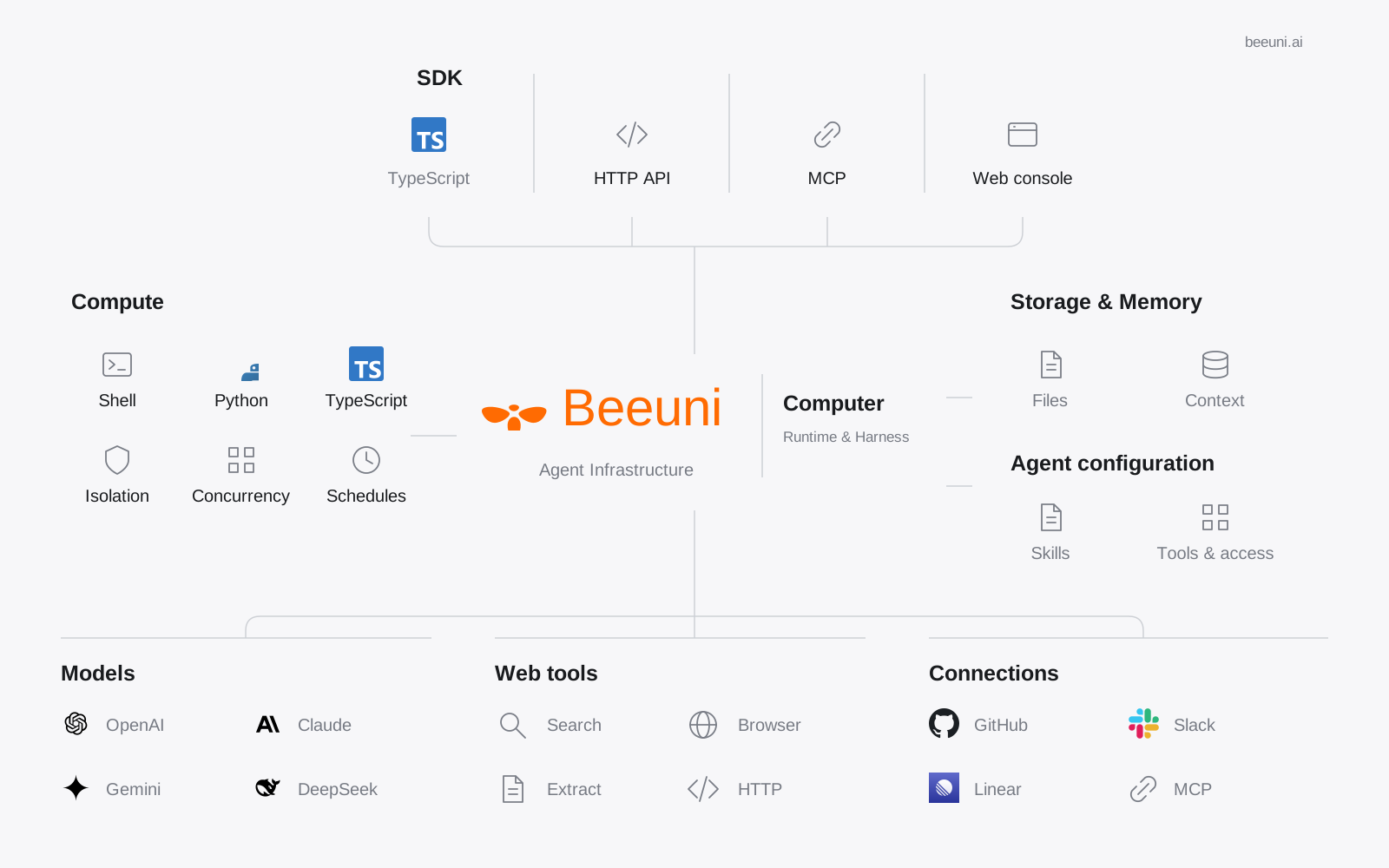
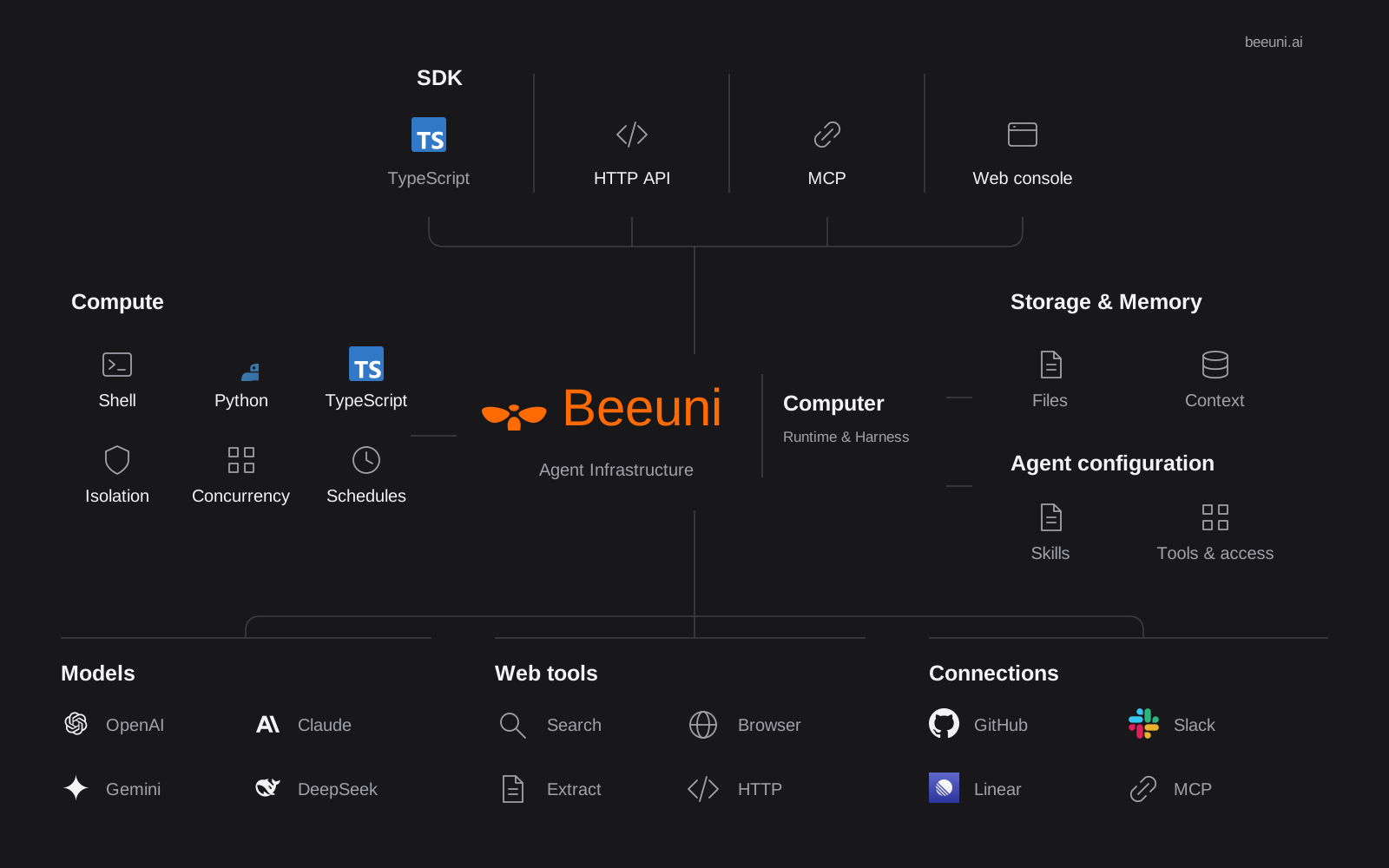
Beeuni 是一台[为你的智能体打造的计算机](/docs/zh/cloud-computer)。它会将智能体的技能、指令和记忆与你的工作放在一起。完成任务后，智能体可以提出改进建议；由你审核哪些内容会延续到下一个任务。

<div className="beeuni-overview-diagram">
  <img className="beeuni-overview-light" src="/docs/beeuni-infra-overview.svg" alt="Beeuni Computer overview: interfaces, compute, storage, agent configuration, models, web tools, and connections" width="1600" height="1000" />
  <img className="beeuni-overview-dark" src="/docs/beeuni-infra-overview-dark.svg" alt="Beeuni Computer overview: interfaces, compute, storage, agent configuration, models, web tools, and connections" width="1600" height="1000" />
</div>

每个智能体都在你自己的 git 仓库中工作。每个会话都会在独立的沙盒和专属分支中运行智能体。工作准备就绪后，智能体会创建一个变更请求。你审核后，将其合并到默认分支。

```text title="Beeuni project structure"
project (git repo + beeuni.yaml)
   └─ session ──> isolated sandbox on branch "<uuid>"
                     └─ agent commits + pushes
                           └─ change request ──> merge ──> default branch
```

新项目使用 v2 清单和 默认运行时 [harness](/docs/zh/work/harnesses)。
现有的 v1 项目会保留其兼容行为。

<CardGroup>
  <Card icon="rocket" title="快速入门" href="/docs/zh/quickstart">创建项目、启动会话，并合并你的第一个变更请求。</Card>
  <Card icon="box" title="你的项目" href="/docs/zh/project">设置清单、智能体、模型和密钥。</Card>
  <Card icon="route" title="运行工作" href="/docs/zh/work">会话、沙盒和变更请求。</Card>
  <Card icon="share-2" title="连接与自动化" href="/docs/zh/connect">连接器、Slack、计算机和触发器。</Card>
  <Card icon="flag" title="功能标志" href="/docs/zh/feature-flags">按项目启用的功能，包括 Apps。</Card>
  <Card icon="terminal" title="CLI 与系统技能" href="/docs/zh/cli">CLI 命令，以及供人员和智能体使用的实时平台参考。</Card>
</CardGroup>